Building an AI Agent to Standardise Client Data (Circit)
Technology
March 25, 2025In this article, strategic partner Circit demonstrates how Dudley Gould, VP of Business Development at Circit, used ChatGPT to build an AI agent that standardises client data. Originally published on the ICAEW website, the article explores the practical application of AI in accounting and auditing, showing how this AI agent can simplify data mapping tasks while emphasizing its limitations.
Explore more technology resources, including thought leadership and partner content, on our dedicated Technology Hub.
Dudley Gould, ICAEW member and VP of Business Development at Circit, explains how he used ChatGPT to build an AI agent that can standardise client data.
Please note: the AI agent described in this article was developed as a practical demonstration to explore how AI can be applied by accountants and auditors. It is a simple proof of concept that may produce inaccurate results, and it should not be used for client work or as a substitute for professional expertise. For more on the risks and limitations of AI, see the ICAEW guidance on generative AI.
It’s still early days in the world of AI, but it’s evolving at lightning speed. Even the terminology can feel overwhelming. ‘AI agents’, ‘agentic systems’, ‘co-pilots’, ‘assistants’, ‘digital labour’, the industry is awash with terms that often point to the same core concept: software that uses AI to make decisions and take action.
In his role at Circit, Dudley speaks to hundreds of accountancy firms, and almost everyone he meets feels behind when it comes to AI. Even technology companies are grappling with what AI means for the future. No one really has all the answers. The best way to learn is to jump in and try it out. That’s exactly what Dudley did over Christmas, building his first simple AI agent.
Technology Challenge
Dudley trained at Moore Kingston Smith and joined their newly formed data analytics team during his second year. This meant fewer audits and more Python tutorials. In a team of three, he often felt out of his depth. There was a staggering amount of syntax to learn, plus endless battles with the terminal just to get the development environment running. He spent far more time sifting through Stack Overflow than actually coding.
With the arrival of AI-driven coding assistants such as GitHub Co-pilot, things have changed significantly. Those little syntax nuances are no longer insurmountable hurdles. Developers can now focus on the ‘what’ and the ‘why’ of the project, rather than struggling with the ‘how’. It unlocks a level of productivity that was hard to imagine before.
What are AI Agents?
In simple terms, an AI agent is software that uses an AI model to reason and then act on that reasoning. That’s where the term ‘ReAct agent’ comes from. It stands for reason and act.
It’s important to note that there’s a spectrum of agents:
-
Structured ‘workflow’ agents follow a more predefined path. Large language models (LLMs) are paired with specific tools or steps, giving the AI some guidelines to follow.
-
Fully autonomous agents decide what to do dynamically, choosing the right tools or processes without much human input.
The Shift from SaaS to Agents
To understand how this differs from a traditional Software as a Service (SaaS) model, imagine a manager handing an SaaS tool to a junior member of staff. The junior logs in, navigates the software, does the work, and returns the results to the manager. It’s still quite manual, even if the underlying software is powerful.
An AI agent, on the other hand, takes on much of the junior’s role. Rather than requiring a user to click through every step, the agent uses its own know-how to automatically retrieve data, analyse it, and present findings for final sign-off. This is what Microsoft CEO Satya Nadella means when he says: “AI Agents will transform SaaS as we know it.”
Ultimately, it all comes down to user experience. By handling the busywork behind the scenes, AI agents begin to feel more like team members than just another piece of software.
The AI General Ledger Transformation Agent
As an audit junior, Dudley spent hours mapping client data, be it a chart of accounts or column headers, before uploading data into a tool. So, that’s what he focused on for his first AI agent project: general ledger data transformation.
Using AI for data mapping, rather than relying on hard-coded rules, offers several practical benefits, including adapting to changing inputs, reduced maintenance, scalability, and, most importantly, a better user experience.
The AI provides suggestions, allowing the user to confirm or correct the mapping. This process is known as ‘human in the loop’. It creates a more natural user experience and could help the model improve over time.
- Upload CSV/Excel: User selects a file with raw ledger data.
- AI Processing: AI agent analyses how each column aligns with the target schema.
- User Feedback: The user approves or adjusts these suggestions.
- Transformation: The tool applies data conversions and outputs a ready-to-use file.
How Dudley Created His AI Agent
Choosing LangChain as the Core Framework
There are too many tools and frameworks to count, but Dudley decided to use LangChain. It’s known for helping developers quickly build AI agents, and it has a robust ecosystem of integrations, tutorials, and demos that make getting started much more straightforward.
Brainstorming with ChatGPT
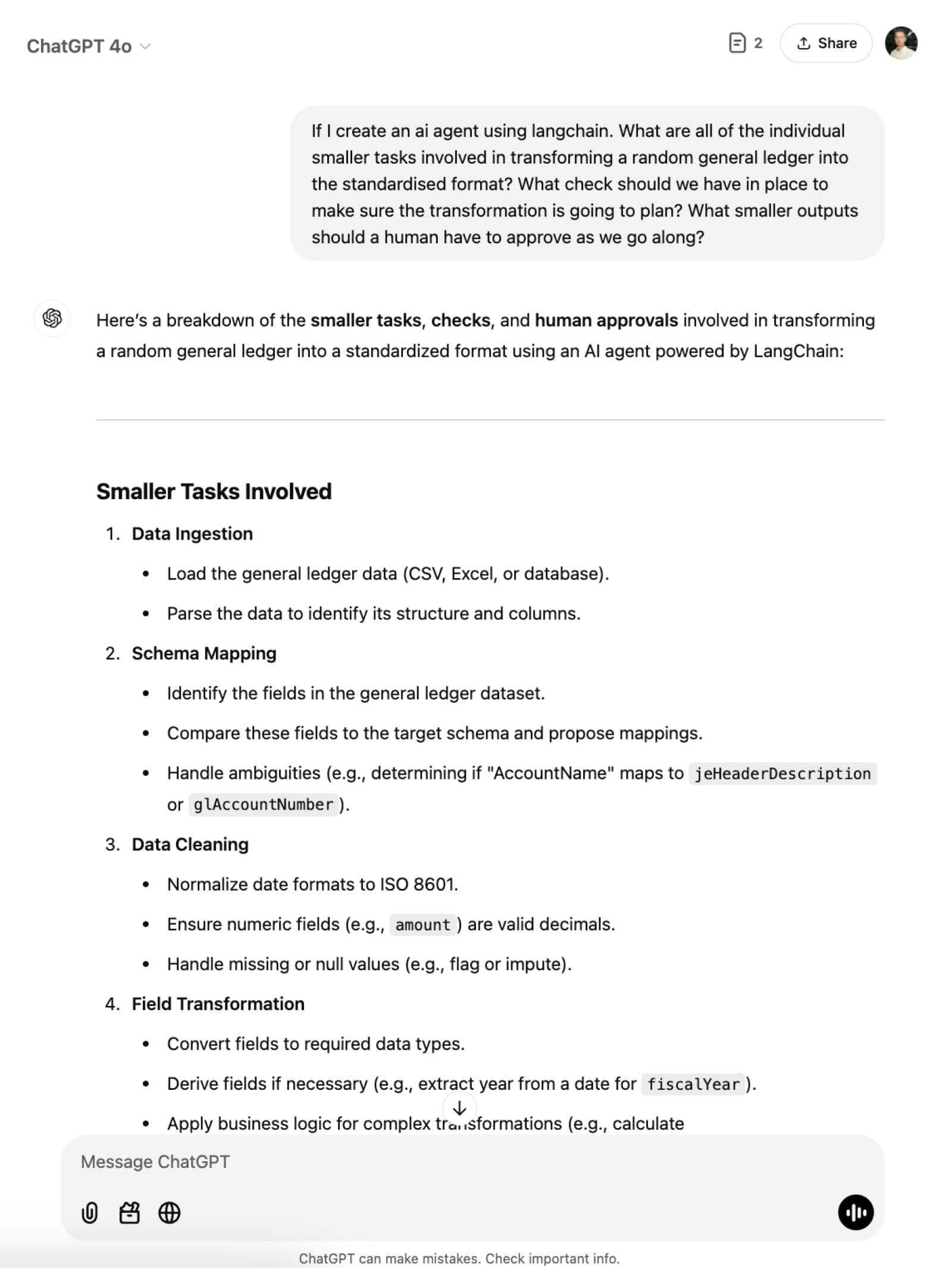
Before writing any code, Dudley spent a few sessions brainstorming with ChatGPT. He asked for instructions on how to transform a random general ledger into a standardised format. ChatGPT broke the process into manageable steps: data ingestion, schema mapping, data cleaning, field transformation, validation, and so on.
Gathering Technical Instructions
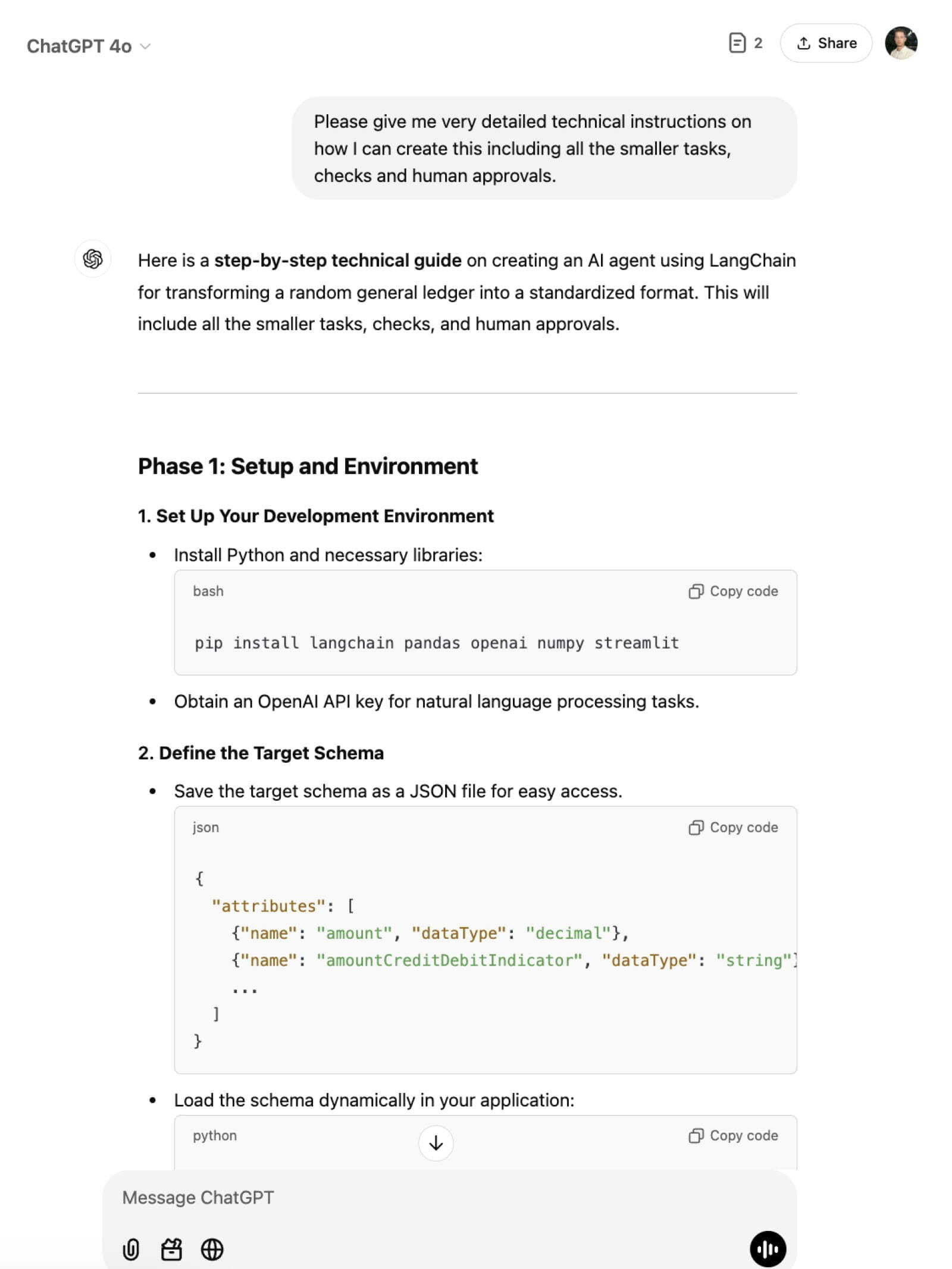
Once he had the broad outline, Dudley turned to ChatGPT for more detailed technical guidance. He asked how to set up his development environment, which dependencies to install, and how to structure the project. It felt more like a personalised tutorial than a standard blog post or video, and it was far more interactive.
Selecting the Tech Stack and UI
Dudley wanted something quick and easy to display his results. ChatGPT suggested Streamlit – a popular tool for building simple, interactive user interfaces (UIs) in Python. ChatGPT outlined exactly how to integrate Streamlit with his back-end AI logic, from installing the package to creating a basic file uploader widget so users could drag in their ledger CSV.
Moving to VS Code and GitHub Copilot
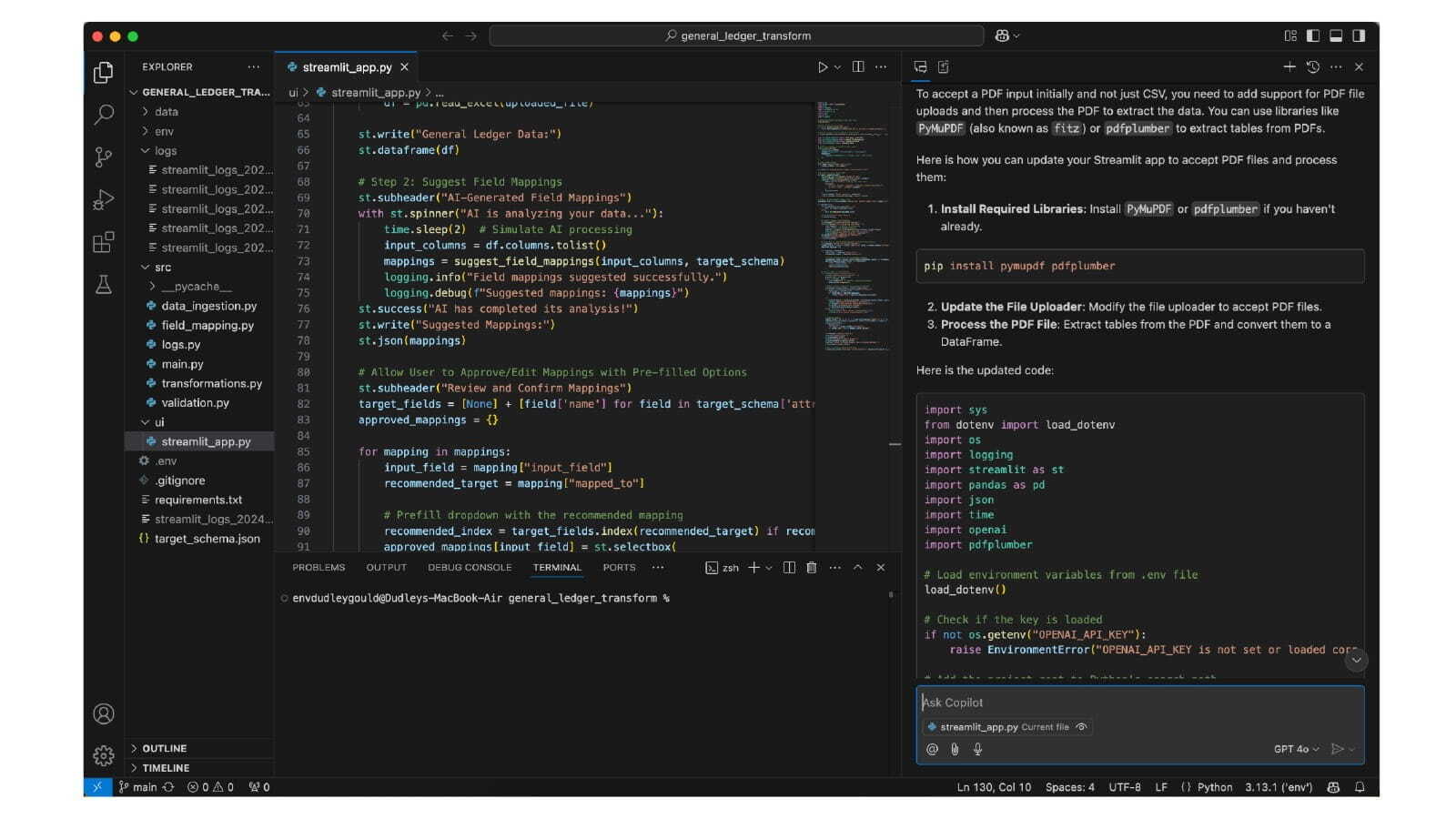
Once he had the bare bones of the project in place, Dudley switched from copying and pasting ChatGPT snippets to coding directly in VS Code with GitHub Copilot. This was a game-changer.
Not once did he have to write a single line of code, or even copy and paste them. Whenever he needed an update, like changing how decimal fields got parsed, he’d simply add a comment, and Copilot would propose the fix. It does help, however, to have an understanding of the code being used, or to check the code with someone who does, to make sure it works as intended.
The Result
Users can try the app here. Please do not use actual client data when trying it out – you can ask ChatGPT to create a demo data set.
Users can upload their raw ledger file, see AI-suggested mappings, adjust them via dropdown menus, and then click ‘Transform’. Instantly, they get a preview of the final data and can download a CSV.
Embrace the Learning Curve
AI tools are becoming easier to build. The real challenge is knowing what to create. This is the time to shine by leveraging accounting expertise.
LLMs are incredibly smart and are only getting better. But they need access to data to work on. Connecting systems and accessing the right data remains a big challenge.
Embrace the learning curve, it’s fun. Experimenting with AI allows individuals to be creative and combine accounting knowledge with emerging tech in a way that feels fresh and rewarding.